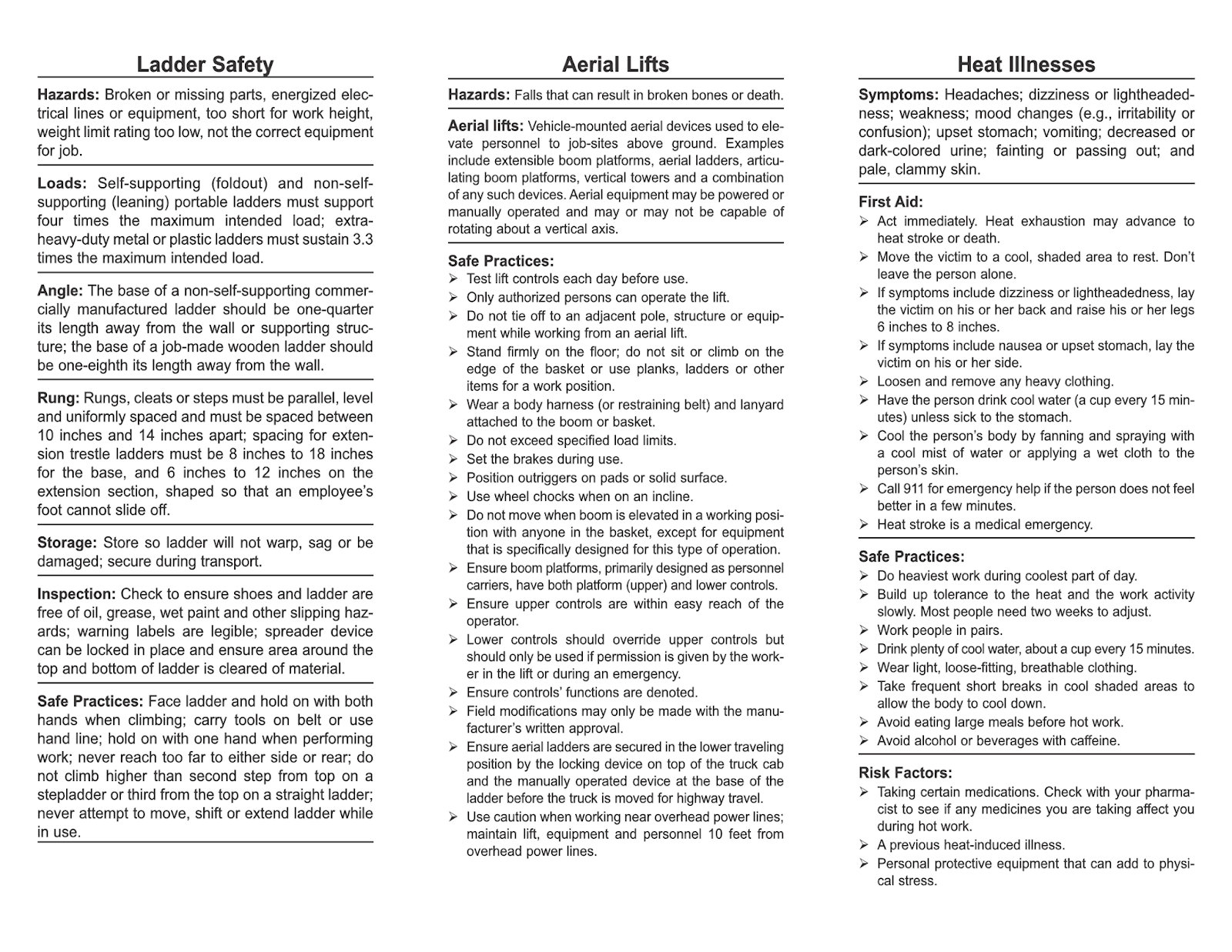
Workplace accidents don’t happen because teams ignore safety. They happen when safety becomes routine—discussed once, filed away, and forgotten. That’s where toolbox talks reshape culture. Short, focused, and frequent, these safety huddles keep risk awareness alive. But without the right content, even well-intentioned meetings fall flat. That’s why professionals search for “safety toolbox talk topics pdf download”—they need ready-to-use, structured, and compliant resources to drive real engagement.
This guide delivers exactly that. You’ll find high-impact topics, practical examples, and reliable sources for downloadable PDFs that fit seamlessly into your safety program.
Why Toolbox Talks Matter (And Why
Most Fail)
Toolbox talks are brief safety meetings—usually 10 to 15 minutes—held at the job site, often before work begins. Their goal is simple: reinforce safe behaviors, highlight risks, and encourage team dialogue. But too many devolve into read-aloud sessions with no interaction or follow-up.
Common pitfalls include: - Using outdated or generic talking points - Failing to link topics to current site conditions - No accountability or sign-in records - Treating it as a compliance checkbox, not a communication tool
The right toolbox talk PDF transforms this. It’s not just a document—it’s a conversation starter with clear objectives, discussion prompts, and space for attendance logs. When you download a well-structured safety toolbox talk topic PDF, you’re not saving time—you’re increasing relevance and retention.
Top 10 High-Impact Toolbox Talk Topics (With Real Use Cases)
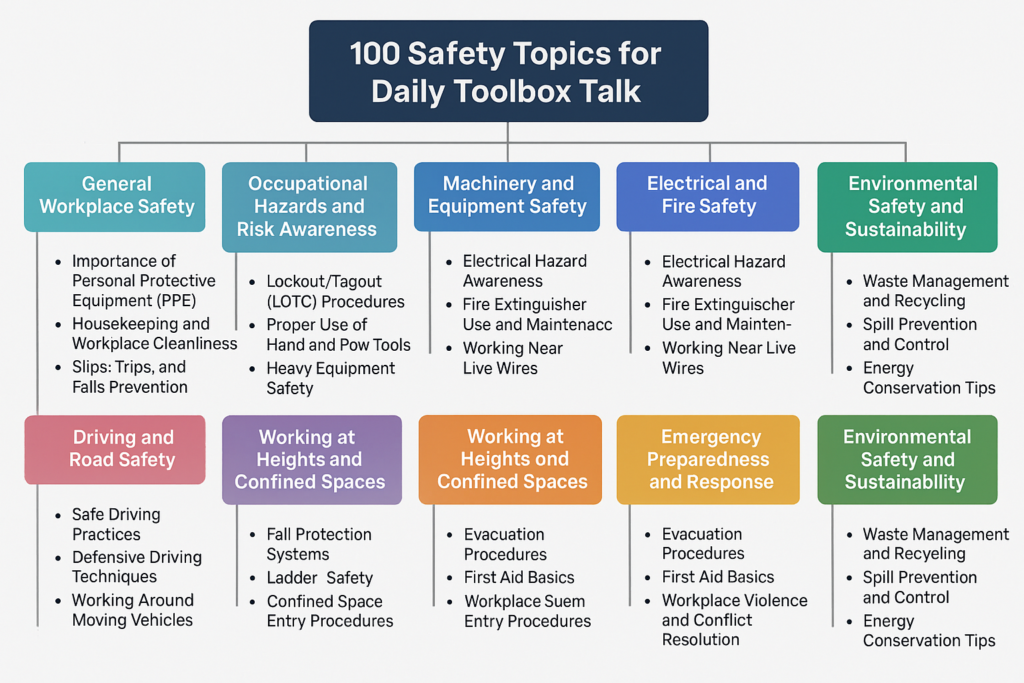
Not all topics carry equal weight. Focus on recurring risks, seasonal hazards, and high-risk tasks. Below are proven topics that address real incidents and near-misses.
#### 1. Fall Protection (Especially in Construction) Use Case: A roofing crew on a residential site had no anchor points clearly marked. PDF Content Should Include: - Proper harness inspection checklist - Anchor point requirements (OSHA 1926.502) - Ladder safety integration - Visual diagram of fall zones
#### 2. Electrical Safety Around Equipment Use Case: A maintenance worker bypassed a lockout tagout (LOTO) procedure to “save time.” Discussion Focus: - Recognizing energized equipment - One-hand rule for live circuits - PPE requirements (Class 0 gloves, arc flash gear) - LOTO refresher with flowchart
#### 3. Hand and Power Tool Safety Common Mistake: Using a grinder without a guard or safety glasses. Effective PDF Features: - Tool pre-use inspection table - Photo examples of damaged cords and unsafe modifications - Noise exposure warnings
#### 4. Hazard Communication (Chemical Safety) Real Incident: A janitor mixed cleaning agents, creating toxic fumes. Critical PDF Elements: - GHS pictograms with explanations - SDS access reminder (digital or printed) - Label reading exercise
#### 5. Slips, Trips, and Falls (General Industry) Workplace Example: Warehouse aisles cluttered with unsecured boxes. PDF Should Highlight: - Housekeeping responsibilities - Proper footwear guidance - Spill response protocol
#### 6. Confined Space Awareness High-Risk Scenario: Maintenance in a sewage pump station. Must-Have in PDF: - Entry permit process overview - Atmospheric testing requirements - Rescue plan reminder (no untrained rescues)
#### 7. PPE Compliance and Limitations Issue Observed: Workers wearing hard hats backwards or with liners obstructing fit. Key Message: PPE only works when worn correctly. PDF Suggestions: - Side-by-side images: correct vs. incorrect use - Expiration and replacement guidance
#### 8. Ergonomics in Repetitive Tasks Example: Assembly line workers reporting wrist pain. Discussion Points: - Neutral posture illustration - Stretching routine for shifts - Reporting discomfort early
#### 9. Fire Safety and Emergency Evacuation Drill Gap: Employees don’t know secondary exits or assembly points. Checklist in PDF: - Fire extinguisher types and uses (PASS method) - Evacuation route map placeholder - Emergency contact list section
#### 10. Night Work and Low-Light Conditions Risk Factor: Reduced visibility increases vehicle and trip hazards. Toolbox Talk Focus: - High-visibility clothing standards - Area lighting setup tips - Communication protocols in dark zones
Each of these topics should come with a downloadable, printable PDF that includes: - A clear title and date - Learning objectives - Discussion questions - Space for signatures - Site-specific customization fields
Where to Find Reliable Safety Toolbox Talk Topics PDF Downloads
Not all free resources are created equal. Many PDFs online are outdated, lack structure, or miss regulatory alignment. Prioritize sources with: - OSHA compliance references - Editable formats (Word or fillable PDF) - Regular updates - Industry-specific variations
Here are 5 trusted sources for quality safety toolbox talk topic PDF downloads:
| Source | Key Features | Best For |
|---|---|---|
| OSHA.gov | Free, authoritative, compliant with standards | Government-backed templates |
| SafetyInfo.com | 100+ topic library, fillable PDFs, sign-in sheets | Construction and manufacturing |
| Creative Safety Supply | Visual-heavy, multilingual options | Warehousing and logistics |
| EHS Daily Advisor (by BLR) | Editable templates, regulatory updates | HR and safety managers |
| SafetyCulture (iAuditor) | Cloud-based, mobile-friendly, customizable | Digital safety programs |
Avoid random blog posts or unverified .zip files. Stick to domains with clear authorship, update dates, and safety certifications.
Customizing Your PDF Toolbox Talks for Maximum Impact
A off-the-shelf PDF is a starting point—not the final product. To increase engagement and relevance, customize each talk:
1. Add Site-Specific Photos Replace generic images with real photos from your worksite. Show the actual scaffold, trench, or machine being discussed.
2. Insert Local Incident Summaries (Without Names) Example: “Last month, a near-miss occurred during forklift operation near the loading dock. Today’s talk ties directly to that event.”
3. Include Role-Based Questions Tailor discussion prompts: - “Supervisors: How do you verify LOTO completion?” - “New hires: What questions do you have about fall protection?”
4. Link to Procedures Add QR codes or URLs in the PDF that lead to your company’s safety manual, video training, or permit forms.
5. Rotate Topics Monthly Use a 12-month calendar approach. Assign themes: - January: Cold stress & winter driving - April: Spring equipment startup checks - July: Heat illness prevention - October: Lockout/tagout refresher
This ensures coverage and prevents repetition.
Common Mistakes When
Using Toolbox Talk PDFs
Even with great content, poor execution undermines effectiveness.
Mistake 1: One Person Does All the Talking Toolbox talks are discussions—not lectures. A good PDF encourages open dialogue. Include prompts like: - “Share a time you saw this hazard.” - “What would you do differently?”
Mistake 2: No Follow-Up or Tracking If it’s not signed and filed, it didn’t happen. Use PDFs with built-in attendance sheets. Store them for audits and incident investigations.
Mistake 3: Ignoring Multilingual Teams If 30% of your crew speaks Spanish, a single-language PDF won’t cut it. Download bilingual versions or use visual-based formats.
Mistake 4: Skipping High-Risk Tasks Don’t default to “hard hat safety” every week. Match topics to work plans. If crews are welding, talk hot work permits.
Mistake 5: Using PDFs as Standalone Training Toolbox talks reinforce—they don’t replace formal training. Reference them: - “As covered in your fall protection certification…” - “Remember the LOTO procedure from last quarter…”
Making the
Most of Your Safety Toolbox Talk PDF Library
Treat your collection like a living resource. Here’s how top safety managers use theirs:
1. Centralize Access Store all PDFs in a shared drive or safety app. Organize by: - Topic - Department - Frequency (weekly/monthly)
2. Schedule in Advance Plan the next 4–6 weeks of talks. Share the calendar with supervisors.
3. Assign Facilitators Rotate who leads. Junior staff gain confidence; veterans spot gaps.
4. Audit for Engagement Randomly review recordings (if permitted) or do walk-throughs. Is the team interacting? Is the PDF being used?
5. Update Quarterly Remove outdated topics. Add new ones based on: - Incident trends - Equipment changes - Seasonal risks
Final Tips for Effective Toolbox Talk Implementation
Success isn’t measured by how many PDFs you download—it’s measured by behavioral change.
- Keep it short. 10 minutes is ideal. Respect workers’ time.
- Start on time, end on time. Punctuality shows you value the process.
- Use the same format weekly. Predictability increases participation.
- Act on feedback. If workers suggest a topic, add it next week.
- Review past talks during safety audits. They’re evidence of due diligence.
The best safety culture isn’t built in boardrooms. It’s built in 10-minute conversations before the shift starts—armed with a solid toolbox talk topic PDF.
Download. Customize. Discuss. Repeat.
Frequently Asked Questions
Where can I get free safety toolbox talk topics PDF downloads? OSHA.gov, SafetyInfo.com, and Creative Safety Supply offer free, downloadable PDFs with no registration.
Are toolbox talk PDFs OSHA compliant? Only if they cover required topics (like fall protection, LOTO, hazard communication) and include documentation of attendance.
How often should toolbox talks be held? Weekly is ideal. At minimum, once per month for low-risk environments.
Can I edit toolbox talk PDFs? Use editable PDFs or Word versions. Never alter the safety content—only add site-specific details.
Should toolbox talks be documented? Yes. Every session should have a sign-in sheet, topic, date, and facilitator recorded.
What makes a good toolbox talk topic? It’s relevant, timely, conversational, and tied to actual work being done.
Do toolbox talks reduce workplace incidents? Yes—when done consistently and interactively. Studies show regular safety talks reduce recordables by up to 25%.
FAQ
What should you look for in Safety Toolbox Talk Topics PDF Download Guide? Focus on relevance, practical value, and how well the solution matches real user intent.
Is Safety Toolbox Talk Topics PDF Download Guide suitable for beginners? That depends on the workflow, but a clear step-by-step approach usually makes it easier to start.
How do you compare options around Safety Toolbox Talk Topics PDF Download Guide? Compare features, trust signals, limitations, pricing, and ease of implementation.
What mistakes should you avoid? Avoid generic choices, weak validation, and decisions based only on marketing claims.
What is the next best step? Shortlist the most relevant options, validate them quickly, and refine from real-world results.